
Put a whole family on one page.
Genograms, ecomaps and timelines, right in your browser. Case content stays on your computer or in your own Google account and never passes through our servers.
What you can draw
These are real screenshots of the editor, using the built-in sample family.
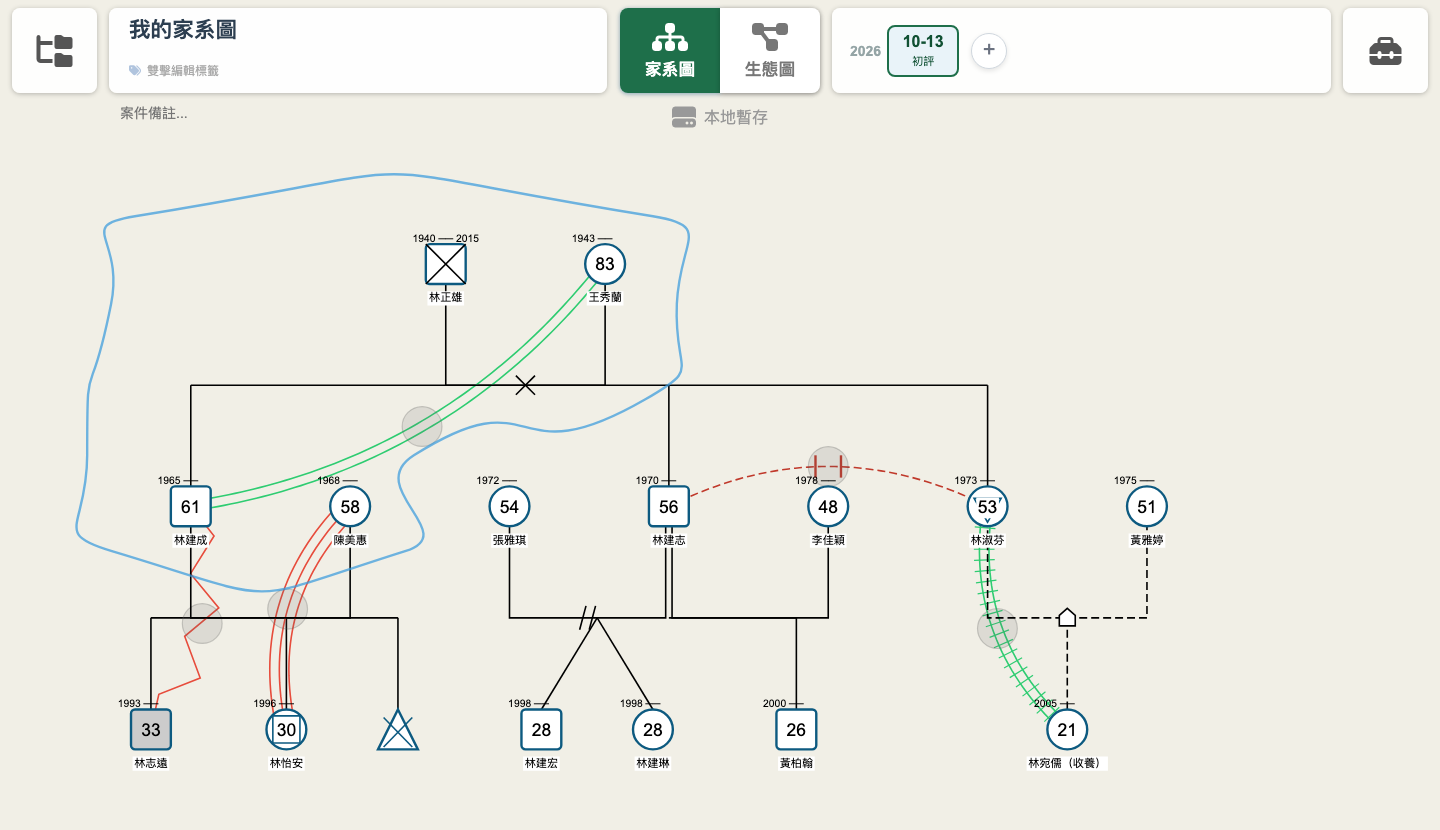
Genogram
McGoldrick genogram symbols. Mark members, partners, children and emotional relationships, including diverse genders, adoption, miscarriage and multiple births.
- Long-press empty space to add a member
- Long-press a member and drag to another to link them
- Double-click a member or line to edit it
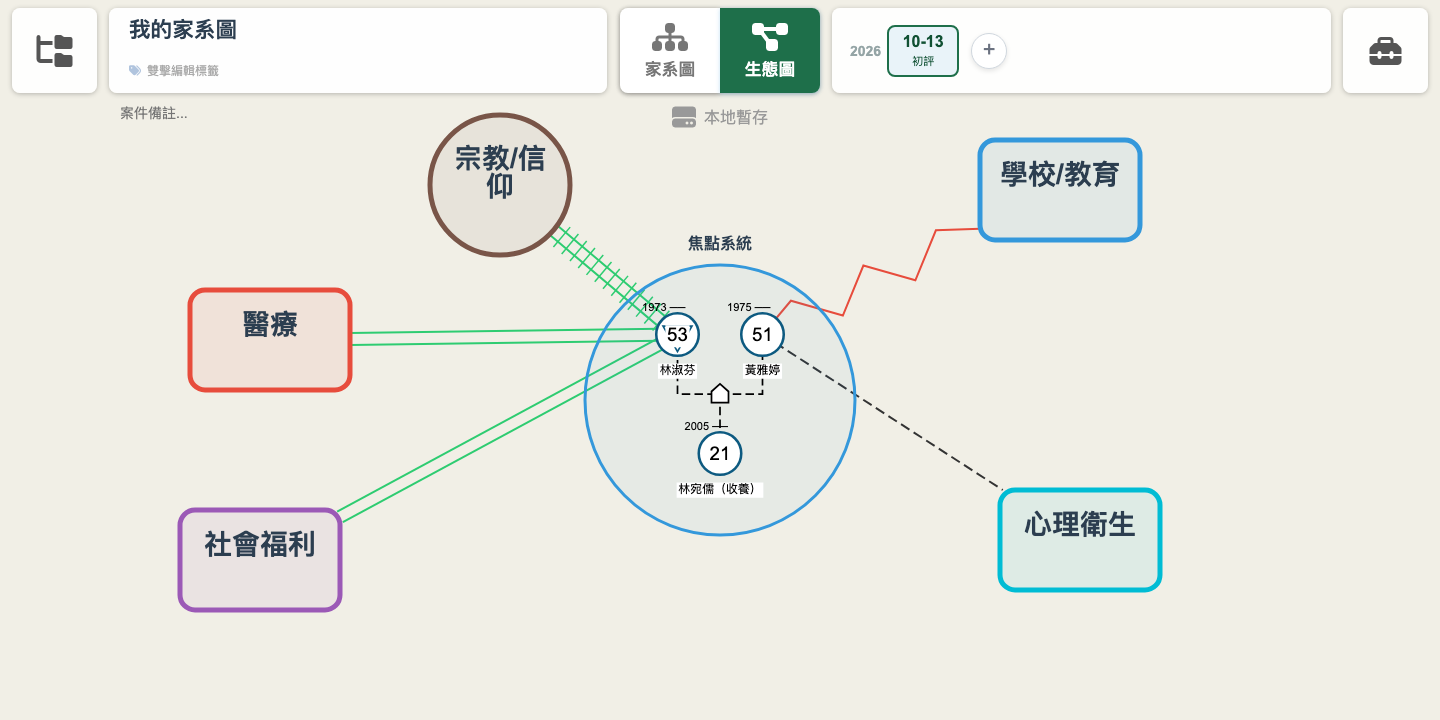
Ecomap
Pick the focal members from the genogram, then add resources such as health care, school, social services or faith groups, and draw lines for support, distance or conflict.
Timeline
Add a time point for each session; it starts as a copy of the previous one. Draw what you learn later on the new point and the earlier picture stays as it was, so you can compare.
Export images
Export a PNG for your notes or reports. The free version adds a watermark.
Share with a supervisorSubscription
Share a whole workspace with a supervisor or colleague, as editor or view-only.
繁中, 简中, English
Works in major browsers on computers and tablets. Phone screens are too small for editing.
We don’t hold your case content
Genograms often record health history, family violence and sexual orientation. That content lives in your browser (free) or your own Google account (subscription).
Our server only stores account, subscription and sign-in records. When you share, the server only relays data and does not keep case content.
Pricing
Draw one in the free version first. Subscribe when you need to manage cases over time.
Free trial
No sign-up, just open and draw
- Genogram, ecomap and timeline
- Saved in this browser, one at a time
- PNG export (watermarked)
- No multi-case management
- No sharing
Subscription
Free for 30 days after sign-up, then subscribe to keep using it
- Manage multiple cases and workspaces
- Stored in your own Google account
- Share with supervisors or colleagues
- PNG export without watermark
In the editor, click the folder icon at the top left to sign up with Google. You are not charged when the trial ends; subscribe in Settings to keep going. Payments are handled by Paddle.
If you cancel, you keep access until the end of the billing period. After that your files are not deleted, and you can subscribe again to keep editing.
FAQ
Is case data uploaded?
No. The free version saves to your browser; the subscription saves to your own Google account. Our server has nowhere to store case content.
What’s the difference between free and subscription?
The free version holds one drawing at a time in this browser, good for trying it out or a one-off assessment. Managing multiple cases, opening them on another computer, or sharing needs a subscription.
Do my files disappear if I cancel?
They are not deleted. Files are kept in a private EcoGenogram space in your Google account (not visible in your file list). Subscribe again to keep editing. While unsubscribed you can sign in and view them, but not edit or export.
Which devices are supported?
Chrome, Safari, Edge and Firefox on computers and tablets. Phone screens are too small for editing.
More in the full FAQ, or email support@ecogenogram.com.